Where the prices come from: delayed quotes vs your own cash flows
MetisTrades shows two different profit-and-loss figures: one built from your imported transactions, one built from delayed market quotes. This guide walks a single XYZ position through both so you know which number you are reading.

What it does and when to use it
MetisTrades has two pricing views, and they answer two different questions.
Standard P/L is the transaction-based view. It is built from the credits, debits, fees and other activity in your imported records. For an open position it tells you what has actually moved through the account so far. It does not claim the position could be closed for that amount.
Live P/L is the marked view. It values open option legs and supported stock holdings against the latest prices MetisTrades has fetched. Despite the name, those quotes are delayed — the on-screen price control warns they can be delayed by roughly 15 minutes, and some provider and instrument combinations supply end-of-day values instead.
The control that switches between them is in the site header. When you have open positions or stock holdings and no prices are cached, the header shows Refresh Prices. After a successful fetch it shows Clear Prices and Updated with a time.
A few terms the rest of this guide leans on:
- Mark — the chosen valuation for an option leg. MetisTrades prefers a valid supplied mark, then the midpoint of a positive bid and ask, then a positive last price, then whichever positive ask or bid is available.
- Midpoint — half the sum of bid and ask when both are positive.
- Realized P/L — estimated profit or loss from activity already closed in your imported records.
- Unrealized P/L — the estimated change in an open holding or leg using its latest available fetched price.
Use this when a number surprises you: when the dashboard changes after a fetch, when a field is blank, or when your broker shows a different figure for what looks like the same position.
A worked scenario
You hold two things in XYZ. On 10 February you bought 100 shares at $48.00, a recorded cash flow of −$4,800. On 4 March you sold to open two XYZ 50 puts at $1.40 each. Two contracts at a 100-share multiplier is 2 × 100 × $1.40 = $280 collected.
| Date | Activity | Recorded cash flow |
|---|---|---|
| 10 Feb | Buy 100 XYZ shares @ $48.00 | −$4,800 |
| 4 Mar | Sell to open 2 XYZ 50 puts @ $1.40 | +$280 |
Before you fetch any prices, the put position's transaction-based figure is the +$280 you collected and nothing else. The shares sit at their known cost basis of $4,800. Nothing on screen is claiming a market value, because MetisTrades has no quote yet.
Now you choose Refresh Prices on 12 March at 10:42 local time. The fetch returns, for the 50 put, a bid of $0.80, an ask of $0.95 and a supplied mark of $0.85. For the shares it returns a delayed price of $49.20.
Two numbers change:
- The put. MetisTrades compares the mark with the leg's entry price, which comes from the imported amount, quantity and contract multiplier: $280 ÷ (2 × 100) = $1.40 per contract. Short legs use the opposite price direction to long legs, so a fall from $1.40 to $0.85 is a gain: ($1.40 − $0.85) × 100 × 2 = +$110.
- The shares. 100 × $49.20 = $4,920 market value against $4,800 basis, so unrealized P/L is +$120.
Note that the midpoint of $0.80 and $0.95 is $0.875, not $0.85. The supplied mark has priority over the midpoint, and under the currently supported Intrinio path that mark can be a modeled fair value while the displayed bid and ask remain end-of-day values. That alone accounts for a $5 difference across the two contracts.
On 21 March you buy to close both puts at $0.60, a debit of 2 × 100 × $0.60 = $120. The position's realized result is $280 − $120 = +$160, and from that moment it needs no quote at all.
Step by step in MetisTrades
1. Sign in first
Portfolio quote fetching requires you to be signed in. Before sign-in the Refresh Prices control is disabled and its prompt reads Sign in to refresh prices! Because the portfolio tabs require Pro access, marked portfolio P/L is normally used by Pro subscribers, including trialing, lifetime and legacy lifetime users.
2. Look at the figures before any fetch
Open the portfolio with no prices cached. Positions are built from your imported transaction records, so the standard number for the XYZ put position reflects the +$280 recorded cash flow. Fields that need a market quote can stay blank or show a dash. That is deliberate: the app does not invent a price when no usable quote was returned.
3. Choose Refresh Prices
The site can make one automatic price fetch after signed-in portfolio data loads, and you can request one yourself. Choosing Refresh Prices asks for prices for your open option positions, grouped into option-chain requests, and for the stock symbols represented by your stock holdings. While the request runs the button reads Loading.... A completed request shows Prices Updated, changes the header to Clear Prices, and shows Updated followed by the local time of the fetch — 10:42 in the scenario.
4. Read the marked views
With prices cached, the Dashboard summary cards use marked P/L; without cached prices they use transaction-based P/L. On Open Positions, the XYZ put row can show the option mark of $0.85, Greeks, a delayed underlying quote of $49.20 and Live P/L of +$110. Look at the mark on the row and at the Updated time in the header together — the second tells you how old the first is.
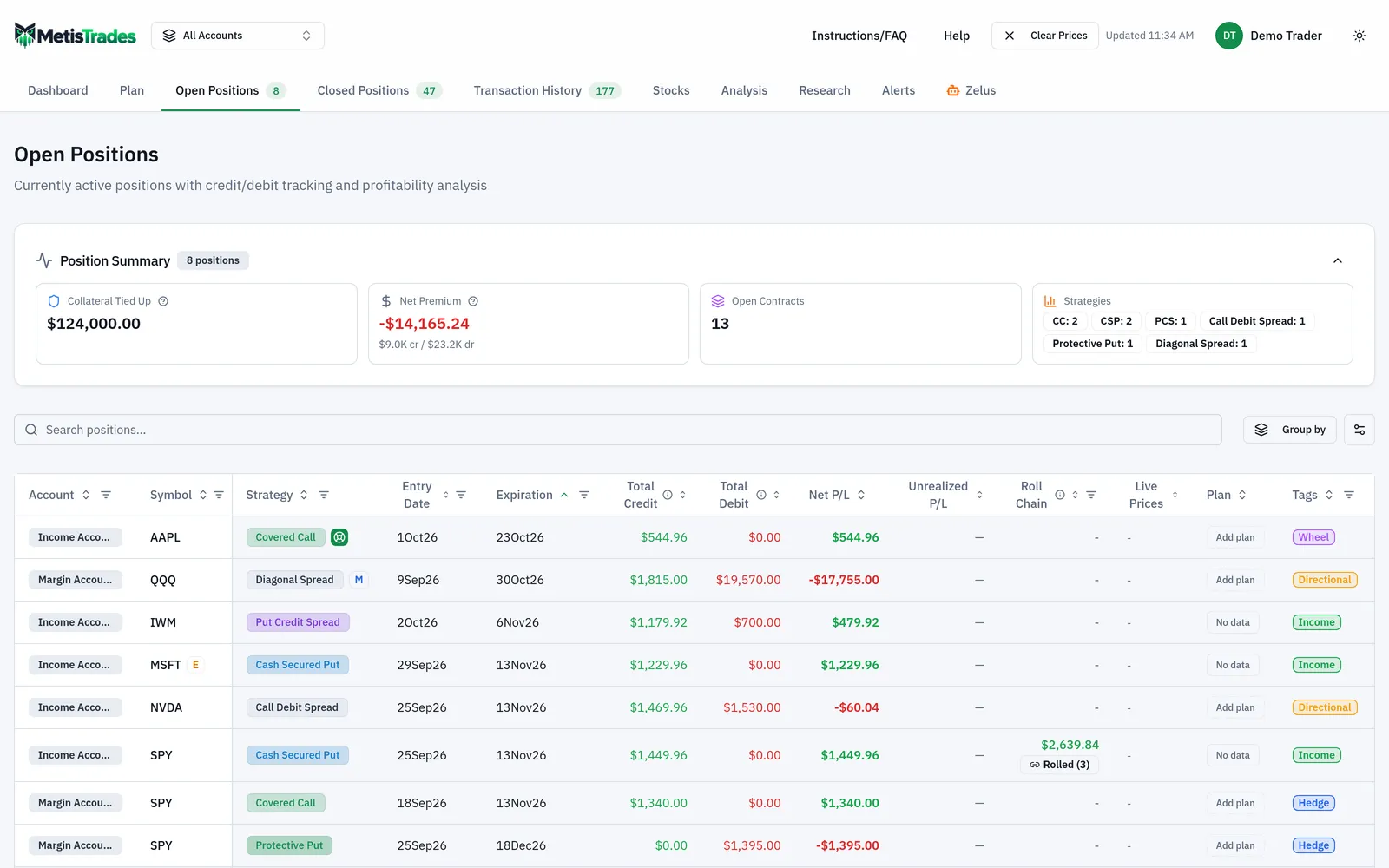
Position Details can show marked leg values and position P/L for the same position. Stocks Overview can show latest price, market value and unrealized P/L for holdings with quotes and known basis, which is where the $4,920 and +$120 appear. If you had rolled the puts, Roll Analysis shows Prices as of when fetched prices are available.
5. Clear Prices when you want the booked view back
Choosing Clear Prices removes the cached option and stock prices. The dashboard and tables then return to transaction-based values, or to blanks where a quote is required. It clears cached market prices only — not imported transactions or saved positions. The cache is also cleared when the signed-in user changes, and an account switch allows a new automatic fetch for the newly selected scope.
How to read the results
The +$110 Live P/L on the XYZ puts means one thing: at a mark of $0.85 per contract, the position is $110 better than the $1.40 entry price derived from your imported records. It is an estimate against a delayed, possibly modeled price. It is not an executable liquidation quote, and it is not a promise that a buy-to-close order would fill at $0.85. The real market is bounded by the bid and ask — $0.80 and $0.95 here — and spreads, illiquidity, commissions and slippage all sit between the mark and a fill.
The +$280 transaction-based figure means something narrower and firmer: $280 of premium has been recorded. It carries no opinion about what closing costs today.
The +$120 on the shares is unrealized. It uses the latest fetched stock price and the cost basis known to MetisTrades. Transferred shares without entered basis do not receive an invented unrealized figure.
Once the puts are bought back on 21 March, the result stops moving. Closed activity keeps its realized imported cash flows, so the +$160 comes entirely from $280 in and $120 out. Refreshing prices does not change it.
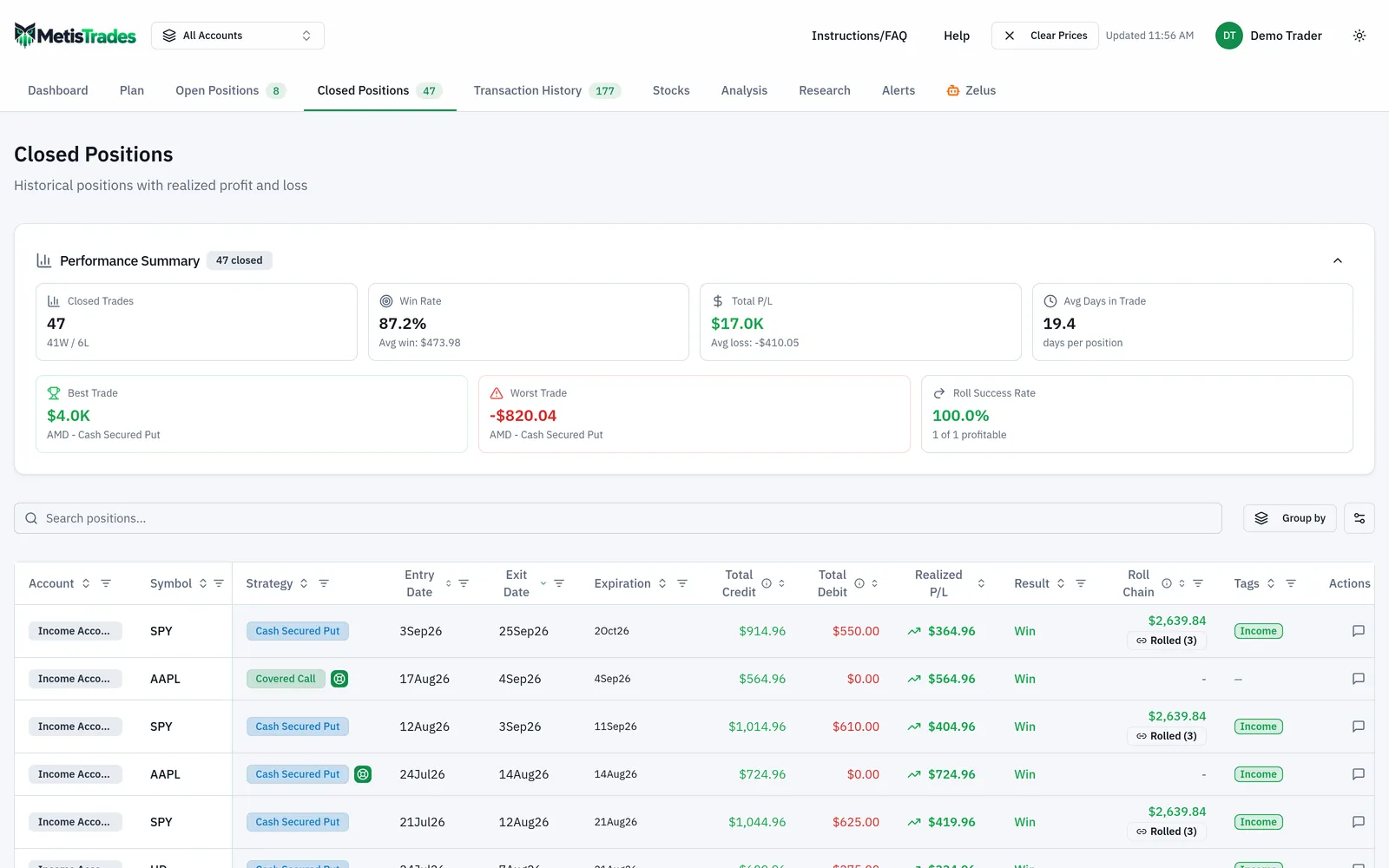
Two mixed cases are worth knowing. If a position contains both open and closed legs, open legs are marked against fetched prices while closed legs keep their realized imported cash flows. For a roll chain, the marked chain total combines the realized P/L of closed positions with the marked P/L of the open one.
The Updated timestamp records when MetisTrades completed its fetch. It does not mean the underlying exchange quote carries that exact timestamp.
If your broker shows a different number for the same put, the usual reasons are a newer quote, a different mark, a different bid-ask policy, different contract multipliers, fees, assignment handling, or a different grouping of legs.
Limits and assumptions
Quotes are delayed. The interface warns they can be delayed by up to roughly 15 minutes, and some provider and instrument combinations use end-of-day values. Treat every marked figure as a dated estimate.
The mark is not always the midpoint. A valid supplied mark takes priority, and under the currently supported Intrinio path it can be a modeled fair value while the displayed bid and ask remain end-of-day. That is why $0.85 can sit beside a $0.875 midpoint without either being wrong.
Coverage can be partial. A multi-leg position may receive a quote for only some legs. Some surfaces disclose missing coverage or fall back to booked transaction values. Do not assume a number labelled with marked pricing includes every leg unless all legs received usable quotes. Where no valid quote exists for an open position, its marked position P/L stays unavailable, and a portfolio total may combine transaction-based P/L for that position with marks for others.
Futures contracts are not supported by the portfolio price refresh; the interface states that prices are not currently supported for futures contracts.
Research data is a separate dataset. The Options Analyzer describes its universe as a Daily end-of-day options snapshot and its deep-dive chain uses the Latest end-of-day snapshot; historical research and backtests read stored end-of-day option history. Refreshing portfolio prices does not turn that into an intraday feed and does not rewrite historical snapshots.
Public share viewers see a read-only portfolio. They do not receive the owner's in-browser price cache or the owner's Refresh Prices control.
Finally, everything derived from imported transactions is an estimate. Missing opening trades, transfers, multipliers, assignments or fees change the result. Tax-related figures are estimates from your imported transactions, not tax advice, and not a substitute for your broker's 1099-B. Options involve risk, and none of these figures forecast what a position will do next.
Common mistakes
- Reading Live P/L as an exit price. It values the leg at a delayed, possibly modeled mark — check the bid and ask before assuming you could close there.
- Assuming Updated means the quote is current to that minute. It records the fetch time only; add the provider's delay on top.
- Treating a blank field as a bug. MetisTrades leaves quote-dependent values unavailable rather than inventing a price — fetch prices, or accept that the instrument is unsupported.
- Expecting the mark to equal the midpoint. A supplied mark takes priority over the bid-ask midpoint, so compare like with like before calling a figure wrong.
- Assuming every leg of a spread is priced. Chain responses can be partial, so treat a marked multi-leg total as provisional unless you know all legs were quoted.
- Using Clear Prices and fearing data loss. It clears cached market prices only; your imported transactions and saved positions are untouched.
- Expecting Refresh Prices to update research chains. Those run on daily and historical end-of-day snapshots — refresh the portfolio all you like, the research dataset does not change.
Related guides and help pages
Related guides
- Premium, Credits and Debits: How Option P/L Is Counted
- Tracking the Wheel Strategy: Premium, Share Basis and the Cycle Result
- Understanding Roll Chains: Tracking a Rolled Option as One Trade
- Tracking covered-call income by symbol
- Tracking assignments and exercises: shares, basis and what happened next
- Keeping Track of Open Positions: Legs, Days to Expiry and Mark-to-Market P/L