Meet Zelus: the AI assistant that answers questions about your own portfolio
Zelus is the MetisTrades AI account assistant. This guide follows one covered-call position on XYZ to show what Zelus can look up, how to ask a question that gets a usable answer, and how to check what it tells you.
What it does and when to use it
Zelus is an AI account assistant that answers questions about your imported portfolio. You type a question in plain English, Zelus looks up the relevant information within the account scope attached to the conversation, and it explains what it found. Where a question needs market data, it can use delayed quotes and the latest available price.
Three terms matter before you start.
- Account scope — either one named trading account or All Accounts. The scope is chosen when you create a conversation and is then pinned: you cannot change it later, so a question that needs the whole book has to start in an All Accounts chat.
- Delayed quote — the latest available market price, which may lag the market. When you ask what something is worth "right now", that is what you get.
- Approval card — a draft of a change to your MetisTrades records. When action drafting is enabled, Zelus can prepare one, but nothing is saved until you select Apply. Action drafting can be switched off by an admin, in which case Zelus is read-only.
Zelus is useful when the answer lives in several places at once: which covered calls expire soon, where you stand in an active wheel cycle, how much premium and dividend income arrived each month, which tax lots would realize the smallest gain, what your total delta and daily theta look like across every open option position, or what a 10% drop would do to a position. It is also useful for questions about the app itself — what a tab shows, or how MetisTrades decides two trades were a roll — because it can read the written guide as well as your account data.
Zelus is a Pro surface: you reach it with an active subscription or lifetime access. If you are signed out, you see a Zelus card asking you to sign in. Zelus cannot place, modify or close brokerage orders, cannot edit or delete existing app data, and cannot import transactions for you.
A worked scenario
You hold one covered-call position in a taxable account. A covered call is owned shares paired with a short call on those shares: you collect premium, and assignment can require you to sell the shares at the strike.
| Leg | Quantity | Entry | Latest mark |
|---|---|---|---|
| XYZ shares | 300 | $48.20 | $52.40 |
| XYZ 55 call, 12 days to expiration | −3 (short) | $1.10 | $0.38 |
Work the arithmetic by hand first, so you know what a correct answer looks like. Each standard equity contract represents 100 shares.
- Premium collected: 3 × 100 × $1.10 = $330.
- Cost to close the calls at the latest mark: 3 × 100 × $0.38 = $114.
- Unrealized P/L on the option legs: $330 − $114 = $216.
- Percent of max profit: $216 ÷ $330 = 65%, because the most the short calls can make is the $330 credit.
- Unrealized P/L on the shares: ($52.40 − $48.20) × 300 = $1,260.
- Total unrealized P/L: $1,260 + $216 = $1,476.
- Breakeven on the stock at expiration: $48.20 − $1.10 = $47.10.
- Net delta, at a quoted −0.22 delta per short call: 300 shares (+300) plus 3 × 100 × (−0.22) = −66, so +234. The position behaves roughly like 234 shares.
- Daily theta, at a quoted $0.042 per contract per day: 3 × 100 × $0.042 = +$12.60 a day from time decay alone, all else equal, because you are short the options.
Those are the figures to hold Zelus to. The question you want answered is: where does this position stand, and what happens to it if XYZ drops 10% before expiration?
Step by step in MetisTrades
1. Open Zelus and pick the scope
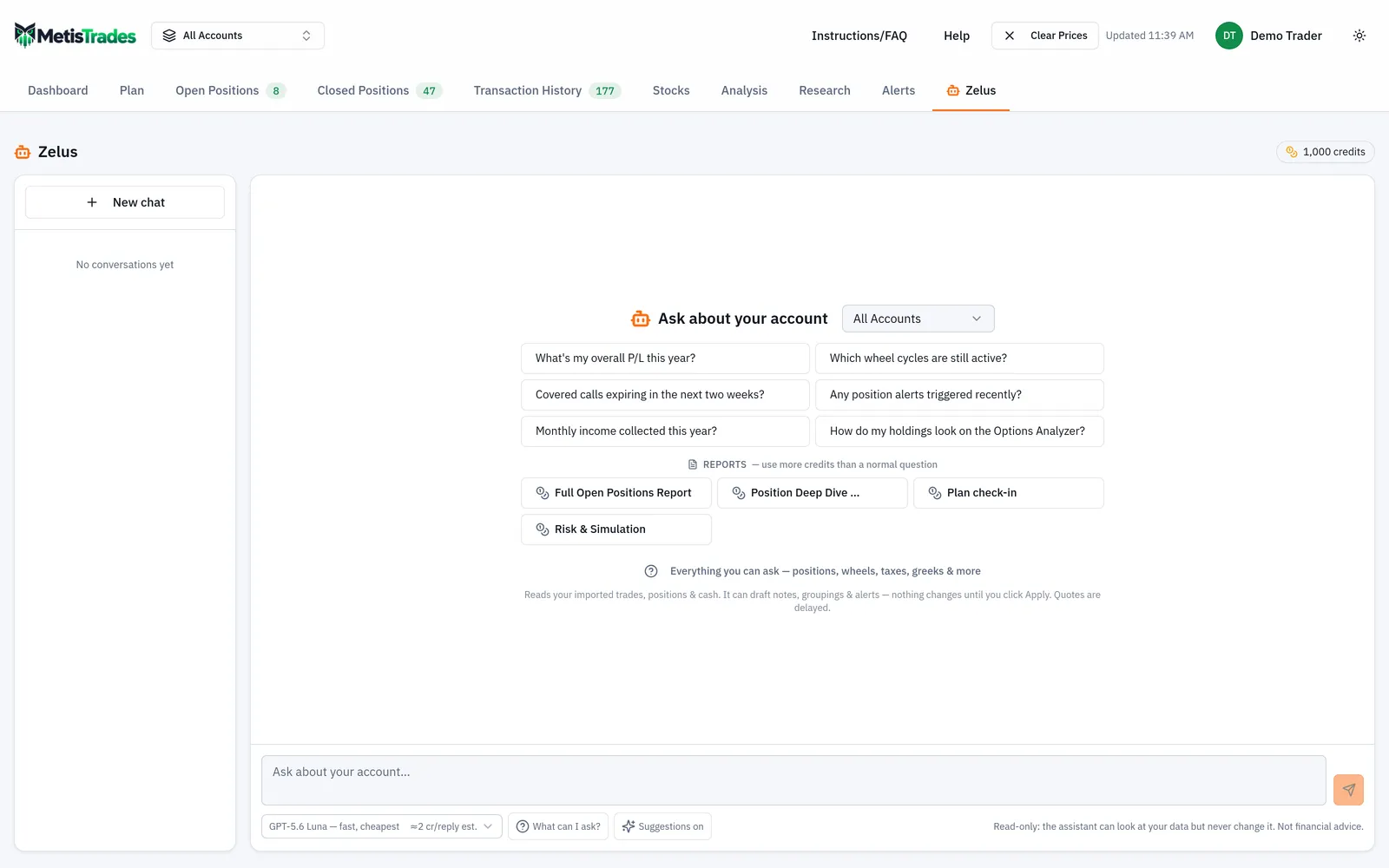
Go to Top nav → Zelus. The new-chat screen is headed Ask about your account. Its scope picker offers All Accounts and each of your individual trading accounts; the initial choice follows the account currently selected elsewhere in the app. Pick the taxable account that holds XYZ. Once your first message goes out, that scope is pinned for the conversation.
2. Browse what you can ask, or take a starting question
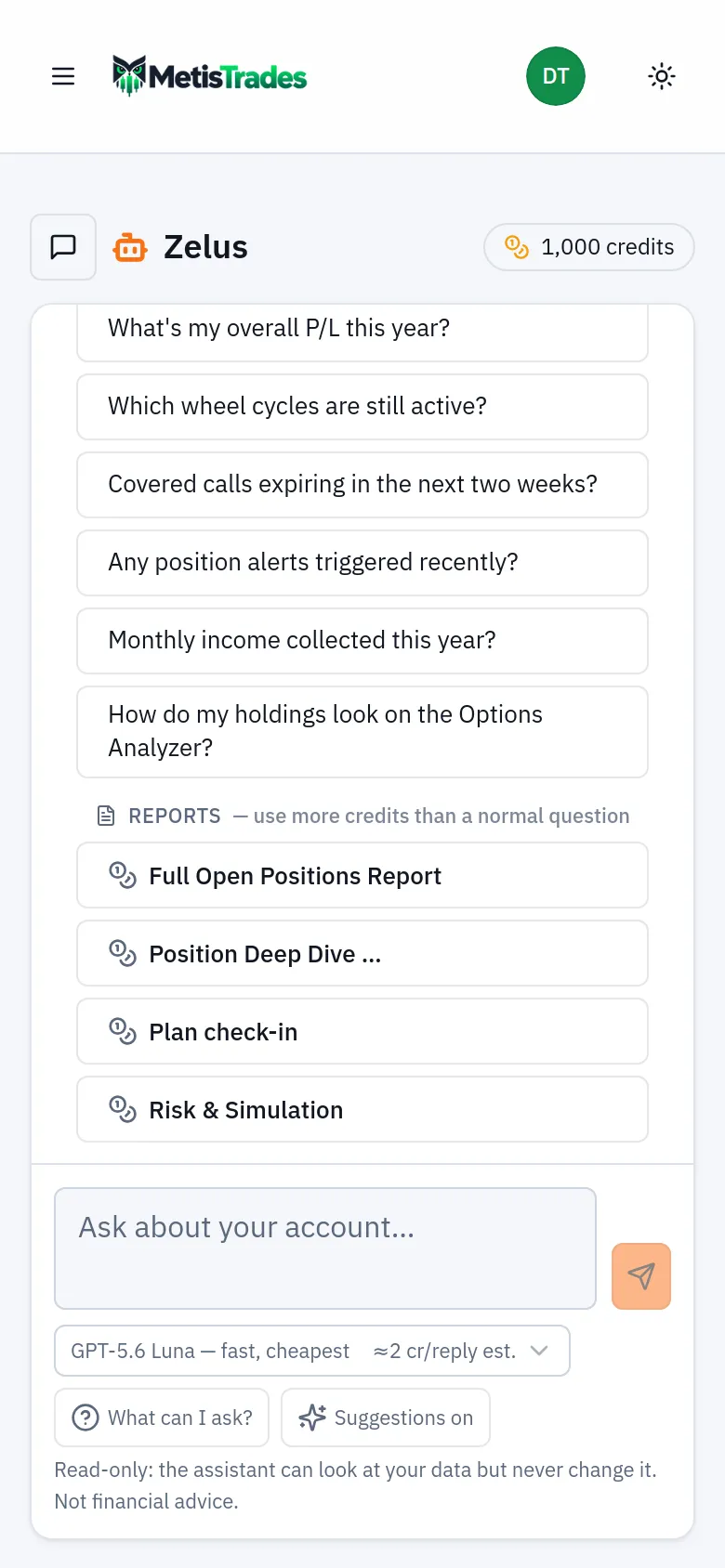
The start screen offers example questions about overall P/L, covered-call expirations, monthly income, active wheel cycles, alerts and Options Analyzer holdings. Selecting one sends it as your first question. The link Everything you can ask — positions, wheels, taxes, greeks & more opens the capability browser, which is also reachable from What can I ask? below the composer. It groups the capabilities currently available to you and gives sendable example questions; selecting an example places it in the composer so you can change the symbol or the dates before sending.
3. Ask the position question
Type into the composer, which names the pinned account scope once a conversation is open. Press Enter to send and Shift+Enter when you want another line; questions can be up to 4,000 characters. A good first question is specific about symbol, scope and what you want compared:
Where does my XYZ covered call stand — mark, unrealized P/L, percent of max profit, days to expiration, net delta and theta?
While Zelus works you may see Thinking…, Analyzing what it found…, or lines beginning Looking at, which change to Looked at as each lookup finishes. The send control becomes a stop control while a reply is being generated, and only one Zelus reply can be generated for you at a time. The screenshot below shows a conversation in progress: look at the message bubbles, the account scope beside the Zelus heading, and the conversation list in the left sidebar.
4. Follow up with the what-if
Zelus can run Position Analyzer mathematics for a held or hypothetical position: theoretical P/L at a chosen stock price, implied-volatility level or future date, plus greeks, maximum profit or loss, and breakevens. Ask the second half of your question as a follow-up, because follow-ups keep the conversation context:
What happens to that position if XYZ drops 10% over the next week?
Every scenario Zelus models also draws a payoff chart card under the reply — P/L against the underlying price at the nearest expiration as a solid line and as of the evaluated date as a dashed line, with breakevens, maximum profit and loss, and the current price marked. Alongside it comes a P/L heatmap card: underlying prices down the side, dates across the top, with today and every leg expiration always included and expiration columns carrying an exp badge. Hover or tap a cell for its value and, on a multi-leg strategy, each leg's contribution. Ask for a greek instead ("show me theta over price and time") and the heatmap switches to delta, gamma, theta or vega. When every option leg is a standard 100-share contract, the card offers Open in Position Analyzer with the same legs pre-loaded.
5. Use the follow-up chips, or the reports
After the latest successful answer, Zelus can show up to four follow-up question chips. Selecting one places the question in the composer for you to review — it does not send automatically. Suggestions on and Suggestions off below the composer control whether they are generated at all.
If you want the whole book rather than one position, the Reports group below the starting questions offers three one-click reports: Full Open Positions Report, Position Deep Dive and Plan check-in. Each produces a complete, structured write-up in a single reply instead of a chain of follow-ups, and each uses more credits than a normal question — the button says so. The Open Positions report first opens a dialog where you can Run on everything or narrow by Tickers, Expiration, Account and Strategy, then Run focused report.
6. Keep or clear the conversation
Your first message replaces the initial New chat title with the first part of that message. Use the pencil control on a conversation to open Rename conversation, or the trash control for Delete conversation?, which warns that the conversation and its messages will be permanently deleted. On a smaller screen, use the conversations button to open the list.
How to read the results
Take the answer apart number by number against your own arithmetic.
The P/L figures. If Zelus reports $216 unrealized on the option legs and 65% of max profit, that matches $330 collected minus $114 to close at the latest mark. It is an estimate of what closing would produce at that mark — not a price you are being offered. A mark is a reference value; the executable market is bounded by available bids and asks, and a fill may differ.
The greeks. Net delta of +234 means the position currently behaves roughly like 234 shares of XYZ for a small move. Theta of +$12.60 is the approximate daily dollar change from time decay alone, all else equal. Both are snapshots from delayed data: they change as XYZ moves and as implied volatility changes, and delta will move faster as expiration approaches.
The what-if. A 10% drop takes XYZ from $52.40 to $47.16. Your shares lose $5.24 × 300 = $1,572, while the short calls can give back at most the $114 of value still in them, so the position is down roughly $1,458 before any volatility change. Zelus's modeled figure will not match that hand calculation exactly, because the scenario prices the options with a model rather than assuming they go to zero. Treat it as theoretical: it depends on the supplied setup, model assumptions and available prices, and it does not say the drop will happen. A note under the chart says when a price or volatility had to be assumed because a quote was delayed or missing.
The Checked line. Below a saved answer, Checked: summarizes the distinct lookups used for that reply, showing up to six items followed by a count of additional items when there are more. It tells you which account or market-data lookups Zelus used. It is a compact trace of what Zelus consulted, and it does not replace opening the underlying portfolio page when exact records matter.
The credit line. The actual tokens and credits charged appear below the answer. In the model picker, a cost label beginning with ~ is the typical whole-credit charge seen for that model lately — half of measured replies cost less, half cost more — while a label beginning with ≈ and ending in est. is an estimate for a standard-size reply when there is not yet enough recent usage. Your actual charge depends on the question and the data Zelus reads. The credit meter in the header opens Zelus credits, with your monthly allowance balance, purchased balance when present, and top-up packs.
Limits and assumptions
Zelus answers from the records available inside the conversation's pinned account scope. If a trade is in another account, or was never imported, it is not in the answer. Zelus cannot infer missing broker transactions or fix an incorrectly imported position from chat.
Quotes are delayed, and option or stock market data may be missing or stale. Anything derived from imported transactions is an estimate: premium, cost basis, realized and unrealized P/L, roll chains, wheel cycles and tax lots all depend on what your broker export contained. Tax figures are estimates from your imported transactions, not tax advice, and not a substitute for your broker's 1099-B.
Scenario outputs, projections, rankings and signals are models, not guarantees. A probability of profit or an expected value describes the assumptions behind it. Zelus does not provide personalized financial, tax or legal advice, and it declines requests outside its available lookups.
Some capability categories are controlled by site flags and only appear in What can I ask? when they are available to you — Market research (Options Analyzer) needs the Options Analyzer flag, and Actions you approve needs the admin action flag. On a very large book, a report trims the least important detail first and says what it trimmed; every position still appears in the table. Stopping a reply, or losing the connection, can leave a partial answer.
Common mistakes
- Asking a portfolio-wide question inside a single-account chat. Scope is pinned at creation — select New chat and choose All Accounts.
- Reading a mark as a fill price. The $0.38 mark on the XYZ calls values the position; check the bid and ask before assuming you can close there.
- Treating a what-if as a forecast. The 10% drop scenario is arithmetic on assumptions you supplied, so compare it with your own loss tolerance rather than acting on the number alone.
- Trusting the Checked line instead of the page. It lists which lookups were used; open Open Positions or Transaction History when an exact record matters.
- Expecting Zelus to fix a bad import. It cannot infer missing broker transactions or repair an incorrectly imported position from chat.
- Assuming a draft card took effect. Nothing is saved until you select Apply — reopen the position to confirm the change landed.
- Running a report to answer one small question. The three one-click reports use more credits than a normal question; ask the single question instead when that is all you need.
Related guides and help pages
Related guides
- Asking Zelus for a portfolio report: the capability browser and the one-click reports
- Plan, Track, Optimize: a complete tour of MetisTrades
- Trade Path: how far each closed trade ran for and against you
- Replaying one options trade with Trade Backtest
- Letting Zelus draft changes for you to review
- How Zelus Credits Work: Allowance, Top-Ups and What a Reply Costs